
Pro CRE Tools is a suite of institutional-grade underwriting models that runs in your browser. Drop in the offering memorandum, let AI fill in the inputs and pull market comps, and walk out with returns, a waterfall, sensitivity tables and an investor-ready report.
Free plan, no card · Paid plans start with a 14-day trial · Built and supported by Your CFO Solution
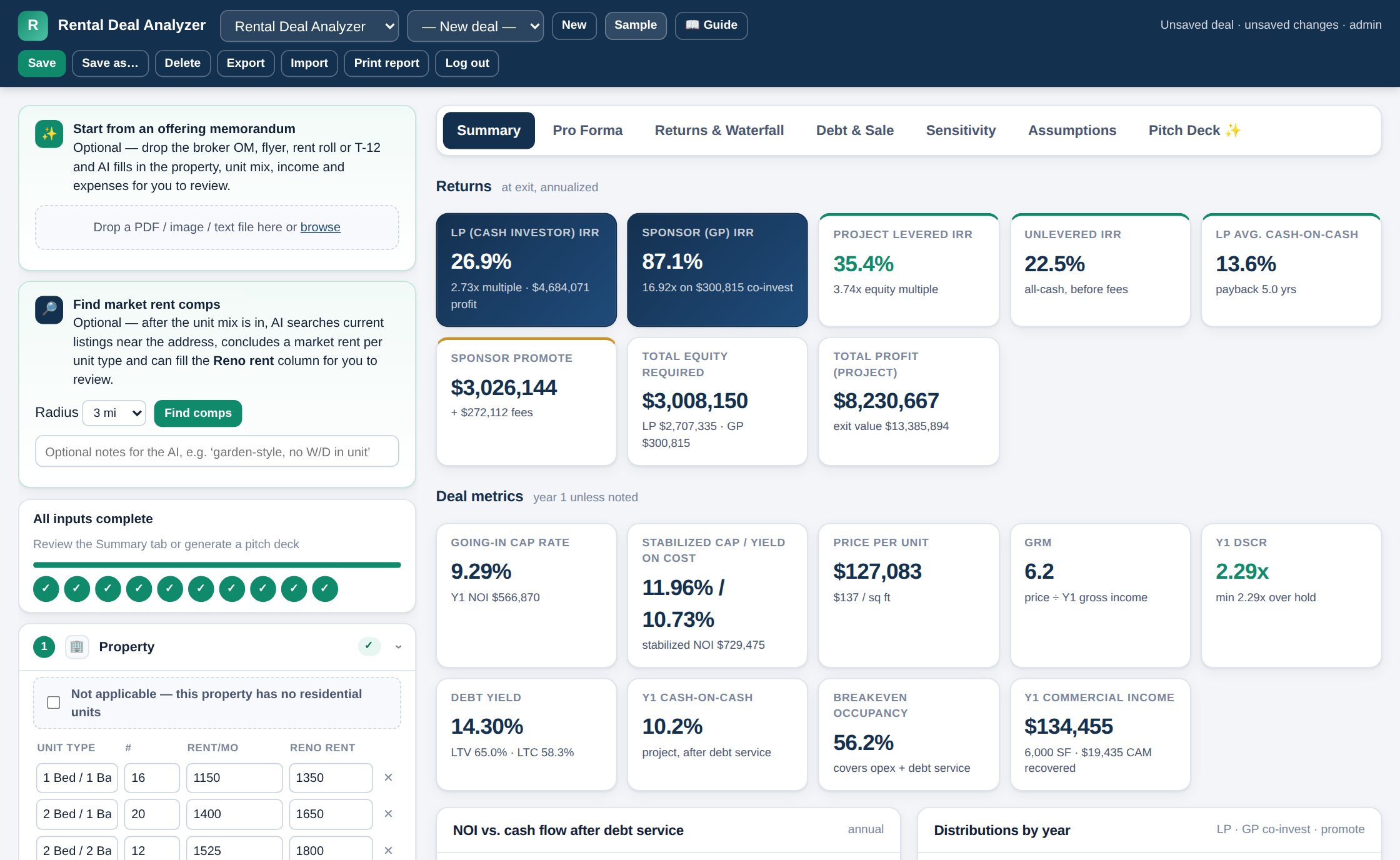
Every broker's spreadsheet has a different set of assumptions buried in it, and the one you built last year has a formula error you have not found yet. These tools hold the math constant so the only thing that changes deal to deal is the deal.
A full underwrite — pro forma, debt, refinance, waterfall, sensitivity — from a blank screen in under fifteen minutes. Every input has a typical-value hint beside it.
One engine, tested against hand-built models, used on every deal. No copied tab with a stale rent roll, no broken SUM, no "which version is current?"
Print or PDF a clean report with your assumptions attached — or generate an investor pitch deck and export it to PowerPoint.
Private login, saved deals per account, sessions that time out on their own, and continuous draft recovery so a closed laptop never costs you an evening's work.
Both are included in every plan, and both live behind the same login with the same saved-deal list.
Acquisition underwriting for apartments, mixed-use, retail, office and hotel — including properties that are all three at once.
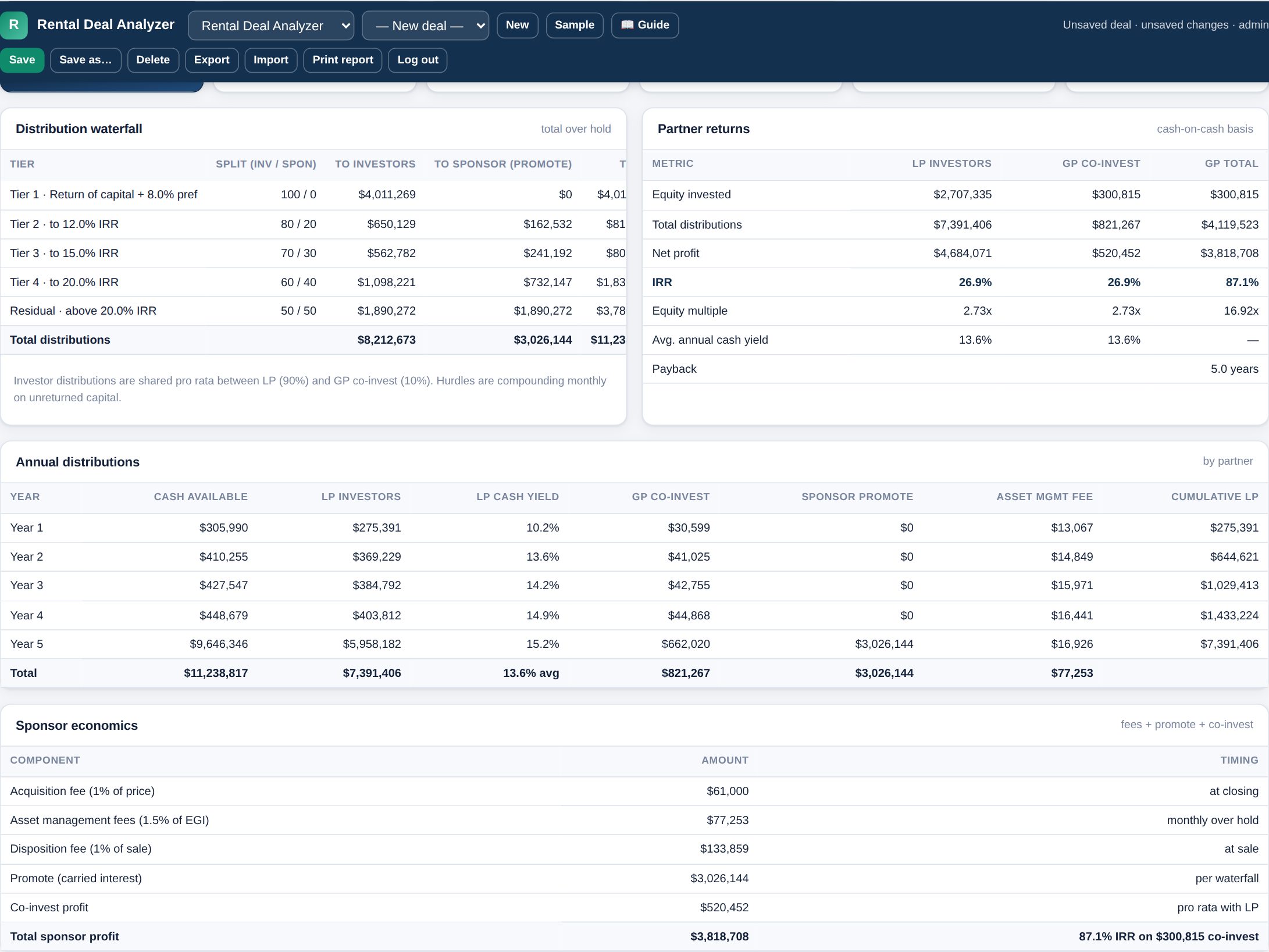
Build-to-sell underwriting for a single spec house or a small subdivision, from land closing to the last sale.
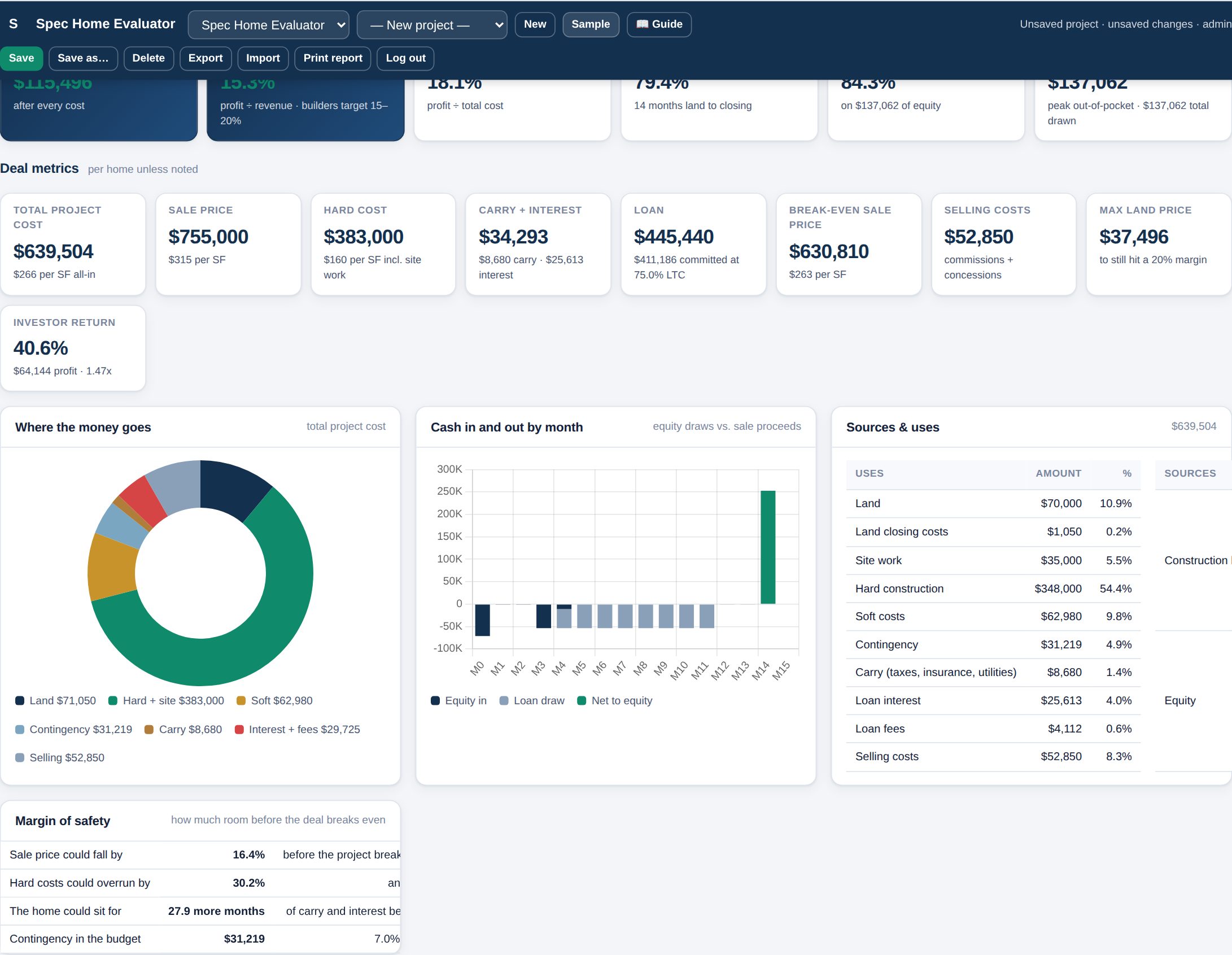
Every AI step ends in a review panel. Nothing is written into your model until you have seen where each number came from and ticked it.
Drop in an OM, flyer, rent roll, T-12, builder bid, plan set or appraisal. In under a minute you get every figure it found, laid out beside the field it will fill.
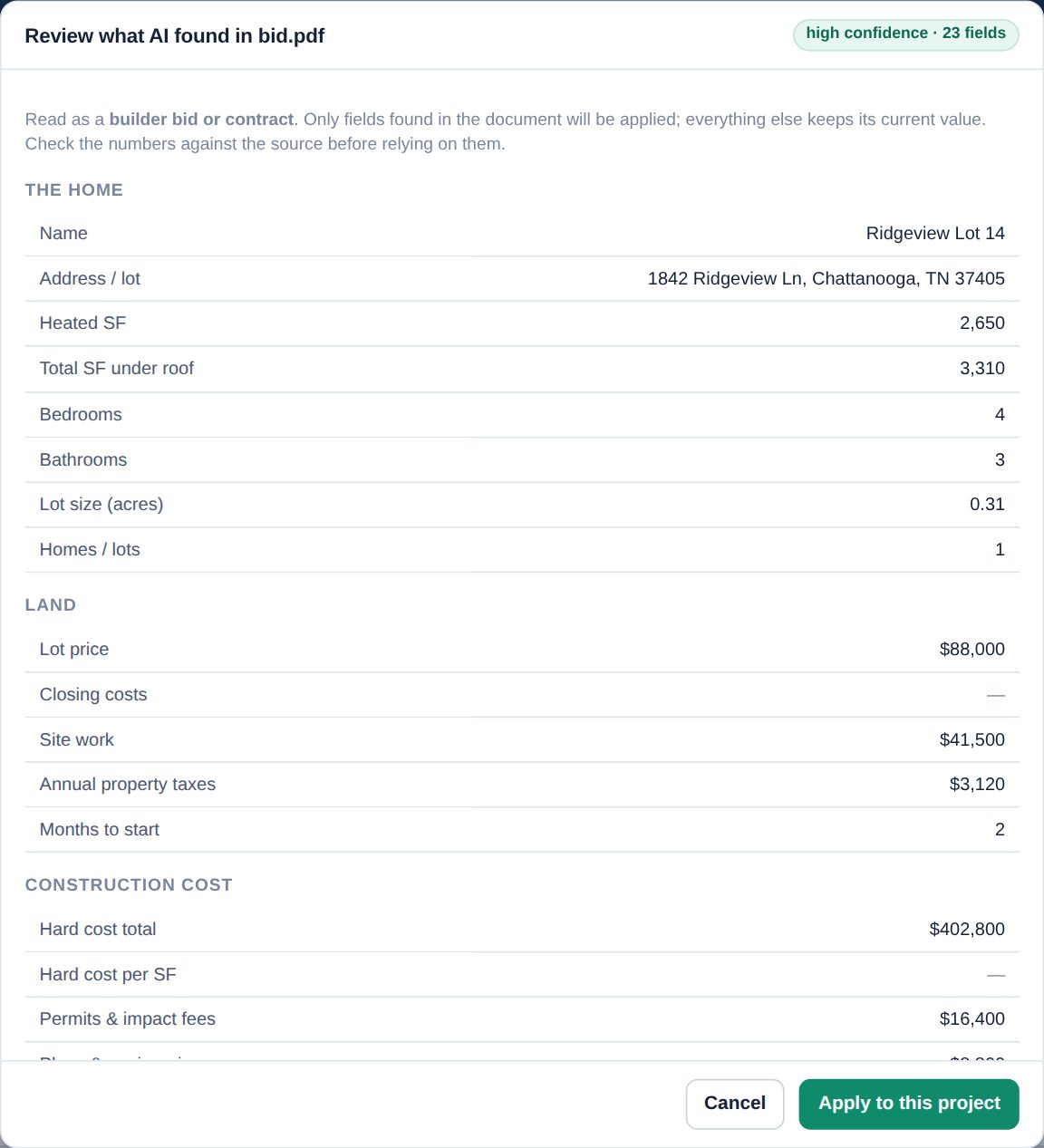
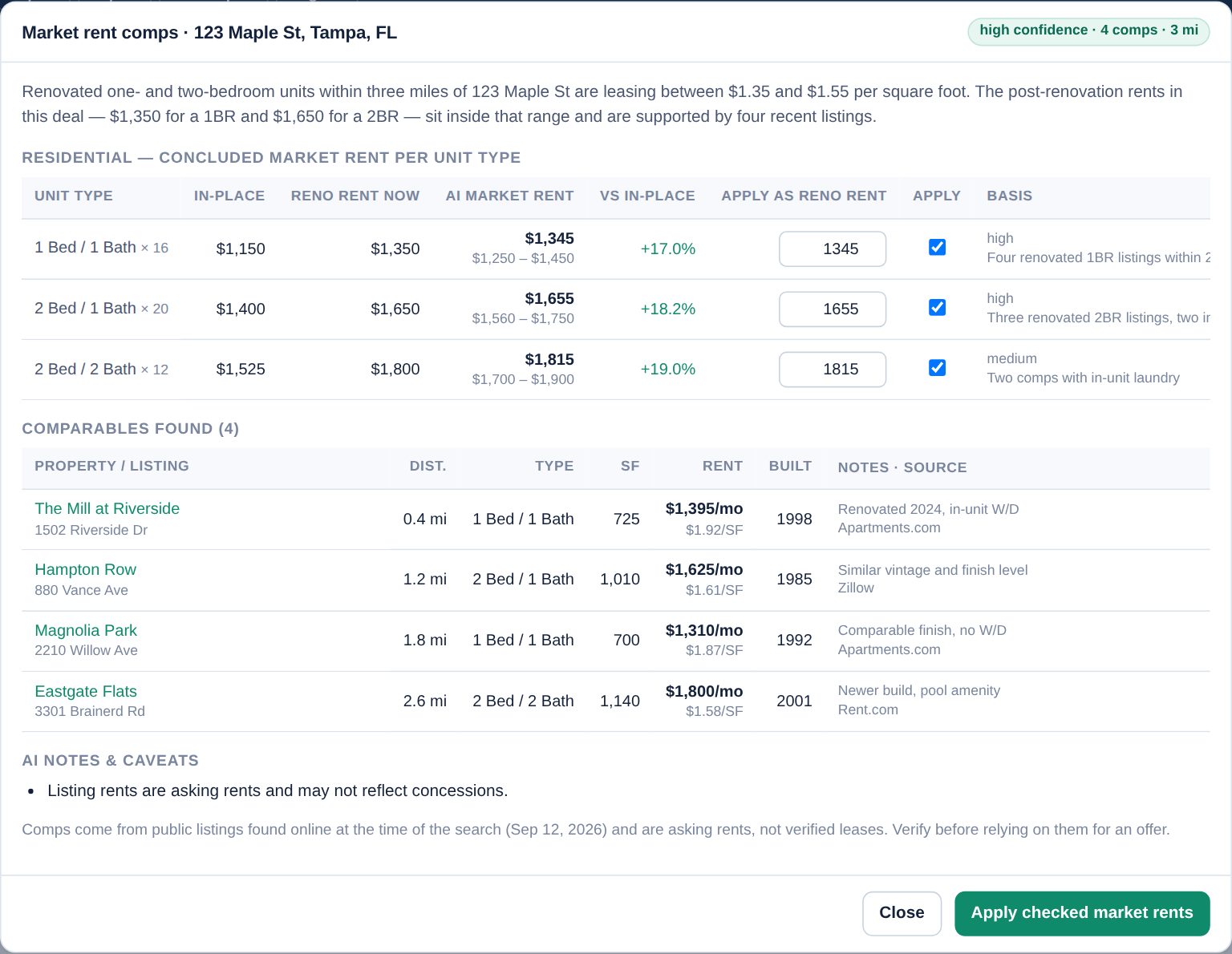
Ask for market rents near the property, or recent sales near the lot. The AI searches live listings, concludes a rent per unit type or a supportable sale price, and shows you the comparables it used with links.
See the deal break before the market does — exit cap against rent growth, price against cost, IRR against timeline.
Preferred return, catch-up and multiple promote tiers, with the split shown year by year for both sides.
Apartments, commercial suites and keys in one property. RevPAR, ADR, occupancy ramp and departmental margins roll into NOI.
Every tab, with the full assumptions appendix, formatted for paper or PDF — and your attribution on the page.
Keep every deal you have underwritten, reopen it, duplicate it for a counter-offer, export it as JSON.
A written user guide with a section per feature and a changelog, updated in the same release as the software.
Start free with no card at all. When you want more than one project, take the 14-day trial of a paid plan — add a card to begin, nothing is charged until the trial ends, and you can cancel any time before then.
To see whether the numbers hold up on a real deal.
No credit card, ever
For the individual investor or broker.
or $490 a year — two months free
For a shop underwriting deals every week.
or $1,490 a year — two months free
The free plan involves no card and no charge of any kind — nothing below applies to it. On a paid plan, your free trial lasts 14 days. Unless you cancel before it ends, the subscription automatically converts to a paid plan and your card is charged the plan price plus any applicable tax, and then renews automatically each period at the then-current price until you cancel. Cancel any time from Your account → Manage billing; cancellation takes effect at the end of the period you have paid for, and there is no cancellation fee. We email a reminder before the first charge and a receipt for every charge. Full details in the Terms of Service.
Everything in the suite is unlimited except the AI features, which cost real money to run. Credits keep that honest and predictable — on a paid plan yours reset on the same day each month, and you are never billed a surprise. The free plan's credits are a one-off welcome grant rather than a monthly allowance, so they do not refill.
| Read a document — OM, rent roll, T-12, builder bid, appraisal | 1 credit |
| Market rent comps or sale comps search | 3 credits |
| Generate an investor pitch deck | 2 credits |
| Everything else — models, reports, saved deals, exports | Unlimited |
| Need more in a busy month? Top-up pack | 50 credits / $39 |
If you have not cancelled, the subscription converts to the paid plan you chose and billing begins — nothing changes about your access. If you do cancel, nothing is deleted: your account and every saved deal stay exactly as they are, and the tools simply stop opening until a plan is active again.
Not for the free plan — there is no card, no trial clock and no charge of any kind, and it stays that way until you choose a paid plan yourself. If you want a paid plan, you start with a 14-day trial and do enter a card on Stripe's secure payment page. It is not charged during the trial; on day 15 the subscription converts and the card is charged the plan price plus any applicable tax, then renews each period until you cancel. Cancel before day 15 from your account page and you are never charged. We email a reminder before that first charge and a receipt for every charge after it. Pro CRE Tools never sees or stores your card number.
Yes. Every account sees only its own deals. Sessions sign out on their own after a period of inactivity, and uploaded documents are stored against your account alone — never shared with other subscribers.
Treat it as a fast first pass, not a substitute for reading the document. Everything it finds is shown to you with its confidence and its source before a single number reaches your model, and you tick what you accept. Offering memoranda are marketing documents — verify anything you are relying on for an offer or a loan package.
The Rental Deal Analyzer covers apartments, mixed-use, retail, office, industrial and hotel, including combinations. Cards that do not apply to your deal get ticked "not applicable" and step out of the way. If you underwrite something the suite does not handle yet, tell us — the tools are added to regularly.
Pro CRE Tools is built and supported by Your CFO Solution, a CFO advisory practice working with owner-operated businesses. The models are the ones used in that practice.
Start on the free plan — both tools, the full model, no card. When you need more than one project, take the 14-day trial of a paid plan (card required, cancel any time before it converts). If it does not save you an evening on the first deal, walk away.